【代码】Javascript贪吃蛇源代码
简介
Javascript贪吃蛇源代码。插入html页面中。
关键词
代码;JavaScript;游戏开发;
截图
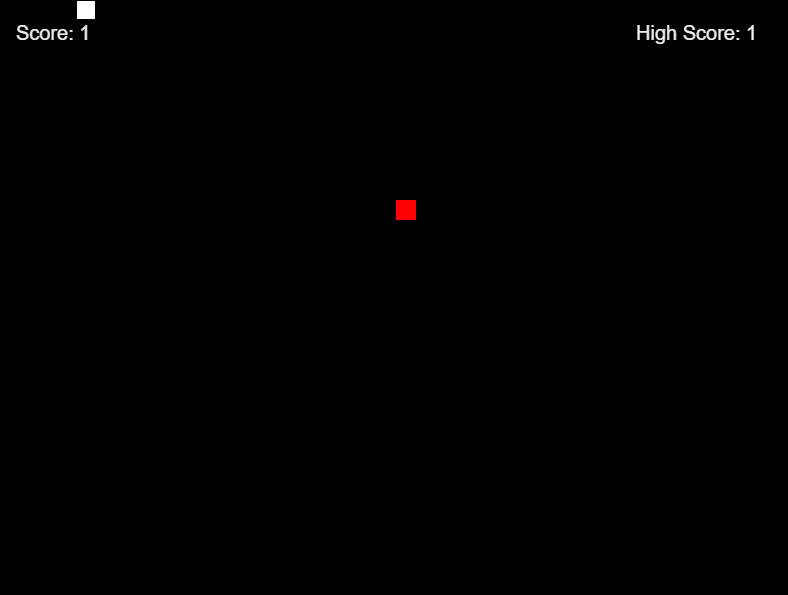
代码
<!DOCTYPE html>
<html lang="en">
<head>
    <!-- Game by Dinaki -->
    <meta charset="UTF-8">
    <title>Snake</title>
</head>
<body>
    <canvas id='game'></canvas>

    <script>
        const game = document.getElementById('game'),
              ctx = game.getContext('2d');

        const width = 800,
              height = 600,
              bgColor = '#000',
              snakeColor = '#fff',
              foodColor = 'red',
              fontColor = "#eee",
              snakeSize = 20;

        let snake = new Snake(),
            fruit = new Fruit(),
            highScore = localStorage['highScore'] || 1;

        setInterval(update, 1000/10)

        game.width = width;
        game.height = height;

        function update() {
            // Collision
            if (snake.tail.length > 2) {
                for (let i = 0; i < snake.tail.length - 1; i++) {
                    if (snake.tail[i].x === snake.pos.x && snake.tail[i].y === snake.pos.y) {
                        snake.restart();
                    }
                }
            }
            if (snake.pos.x == fruit.pos.x && snake.pos.y == fruit.pos.y) {
                snake.grow();
                fruit.randomPos();
            }

            ctx.fillStyle = bgColor;
            ctx.fillRect(0,0,width,height)

            ctx.fillStyle = fontColor;
            ctx.font = "20px Arial";
            ctx.fillText("Score: " + snake.tail.length, 20, 40);
            ctx.fillText("High Score: " + highScore, width - 160, 40);

            if (snake.tail.length > highScore) {
                highScore = snake.tail.length;
                localStorage['highScore'] = highScore;
            }

            ctx.fillStyle = snakeColor;
            //ctx.fillRect(snake.pos.x, snake.pos.y, snakeSize, snakeSize);
            snake.tail.forEach(tPos => ctx.fillRect(tPos.x + 1, tPos.y + 1, snakeSize - 2, snakeSize - 2));

            ctx.fillStyle = foodColor;
            ctx.fillRect(fruit.pos.x, fruit.pos.y, snakeSize, snakeSize);

            if (snake.pos.x < 0) {
                snake.pos = { x: width - snakeSize, y: snake.pos.y };
            }

            if (snake.pos.x >= width) {
                snake.pos = { x: 0, y: snake.pos.y };
            }

            if (snake.pos.y < 0) {
                snake.pos = { x: snake.pos.x, y: height - snakeSize };
            }

            if (snake.pos.y >= height) {
                snake.pos = { x: snake.pos.x, y: 0 };
            }


            snake.move();
        }

        // Events
        document.onkeyup = function(event) {
            switch (event.keyCode) {
                case 37:
                    if (snake.currSpeed.x !== 1) {
                        snake.speed.x = -1;
                        snake.speed.y = 0;
                    }
                    break;
                case 38:
                    if (snake.currSpeed.y !== 1) {
                        snake.speed.y = -1;
                        snake.speed.x = 0;
                    }
                    break;
                case 39:
                    if (snake.currSpeed.x !== -1) {
                        snake.speed.x = 1;
                        snake.speed.y = 0;
                    }
                    break;
                case 40:
                    if (snake.currSpeed.y !== -1) {
                        snake.speed.x = 0;
                        snake.speed.y = 1;
                    }
                    break;
            }
        }

        // Snake class
        function Snake() {
            this.tail = [{x: 0, y: 0}];
            this.speed = {
                x: 1,
                y: 0
            }
            this.currSpeed = { x: 1, y: 0 };

            this.restart = function() {
                this.tail = [{ x: 0, y: 0 }];
                this.speed.x = 1;
                this.speed.y = 0;
            }
            this.move = function() {
                let newPos = { x: this.pos.x, y: this.pos.y };
                if (snake.speed.x > 0) {
                    newPos.x += snakeSize;
                } else if (snake.speed.x < 0) {
                    newPos.x -= snakeSize;
                }
                if (snake.speed.y > 0) {
                    newPos.y += snakeSize;
                } else if (snake.speed.y < 0) {
                    newPos.y -= snakeSize;
                }

                this.tail.splice(0, 1);
                this.tail.push(newPos);

                this.currSpeed = { x: this.speed.x, y: this.speed.y };
            }
            this.grow = function() {
                let newTail = { x: this.pos.x, y: this.pos.y };
                if (snake.speed.x > 0) {
                    newTail.x += snakeSize;
                } else if (snake.speed.x < 0) {
                    newTail.x -= snakeSize;
                }
                if (snake.speed.y > 0) {
                    newTail.y += snakeSize;
                } else if (snake.speed.y < 0) {
                    newTail.y -= snakeSize;
                }

                this.tail.push(newTail);
            }

            Object.defineProperty(this, 'pos', {
                get: function() {
                    return this.tail[this.tail.length - 1]
                },
                set: function(val) {
                    this.tail[this.tail.length -1] = val;
                }
            })
            return this;
        }

        // Fruit class
        function Fruit() {
            this.pos = {
                x: 400,
                y: 200
            };
            this.randomPos = function() {
                let col = Math.floor(width / snakeSize),
                    row = Math.floor(height / snakeSize);

                let rndX = Math.floor(Math.random() * (col)) * snakeSize,
                    rndY = Math.floor(Math.random() * (row)) * snakeSize;

                this.pos = { x: rndX, y: rndY };
            }

            return this;
        }
    </script>
</body>
</html>
效果
用键盘方向键控制。
声明
本站部分图片、资源、书籍、软件等内容来源于网络,本站所供资料仅供学习之用,任何人不得将之他用或者进行传播,否则应当自行向实际权利人承担法律责任。因本站部分资料来源于其他媒介,如存在没有标注来源或来源标注错误导致侵犯阁下权利之处,敬请告知,我将立即予以处理。请支持正版。

 晋公网安备14030302000174号 |